自动进行g16的多坐标柔性扫描
去年在量子化学公众号上看到了一种用Gaussian 16中的GIC功能实现同时扫描多个坐标的方法,当时没需求就收藏起来了。今天有个水传质子的过渡态猜测是协同的,想到了这个方法,于是研究了一下。
原理
假设需要计算一个乙烯与水的加成反应,需要扫描C4-O7’与C1-H9’同时缩短。 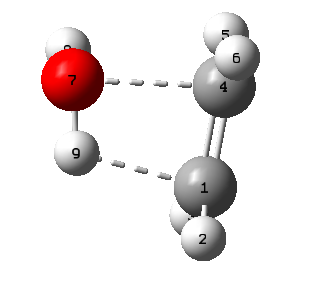 则定义冗余内坐标:
1
2
RC4O7=R(4,7)
RC1H9=R(1,9)
初始结构是随便摆的,RC4O7=1.996,RC1H9=1.775。假设平衡键长C-O为1.43,C-H平衡键长1.07,要扫描5步,则步长ΔRC4O7=−0.1132,ΔRC1H9=−0.1410。据此,列出扫描变量:
| step | RC4O7 | RC1H9 |
|---|---|---|
| 0 | 1.9960 | 1.7750 |
| 1 | 1.8828 | 1.6340 |
| 2 | 1.7696 | 1.4930 |
| 3 | 1.6564 | 1.3520 |
| 4 | 1.5432 | 1.2110 |
| 5 | 1.4300 | 1.0700 |
首先设置RC4O7的扫描,RC4O7(NSteps=5,StepSize=-0.1132)=R(4,7)。
由于GIC一次只能扫描一个变量,第二个变量不能直接扫描。但是,我们可以通过冻结的方式间接实现。由于此处取的是简单的线性步进,若将RC4O7视作自变量,RC1H9视作因变量,可以拟合出一个形如y=ax+b的函数关系:RC1H9=1.24558⋅RC4O7−0.71118
移项得:0.71118=1.24558⋅RC4O7-RC1H9。由此,我们可以得到一个不变量(实为截距的常数倍)。只要冻住这个量,RC1H9就可以随着RC4O7正确地调整为表中的对应值,即:
1
F(Frozen)=1.24558⋅RC4O7-RC1H9
因此,GIC可以设置为:
1
2
3
RC4O7(NSteps=5,StepSize=-0.1132)=R(4,7)
RC1H9=R(1,9)
F(Frozen)=1.24558⋅RC4O7-RC1H9
按照此设置进行扫描,找到最高点: 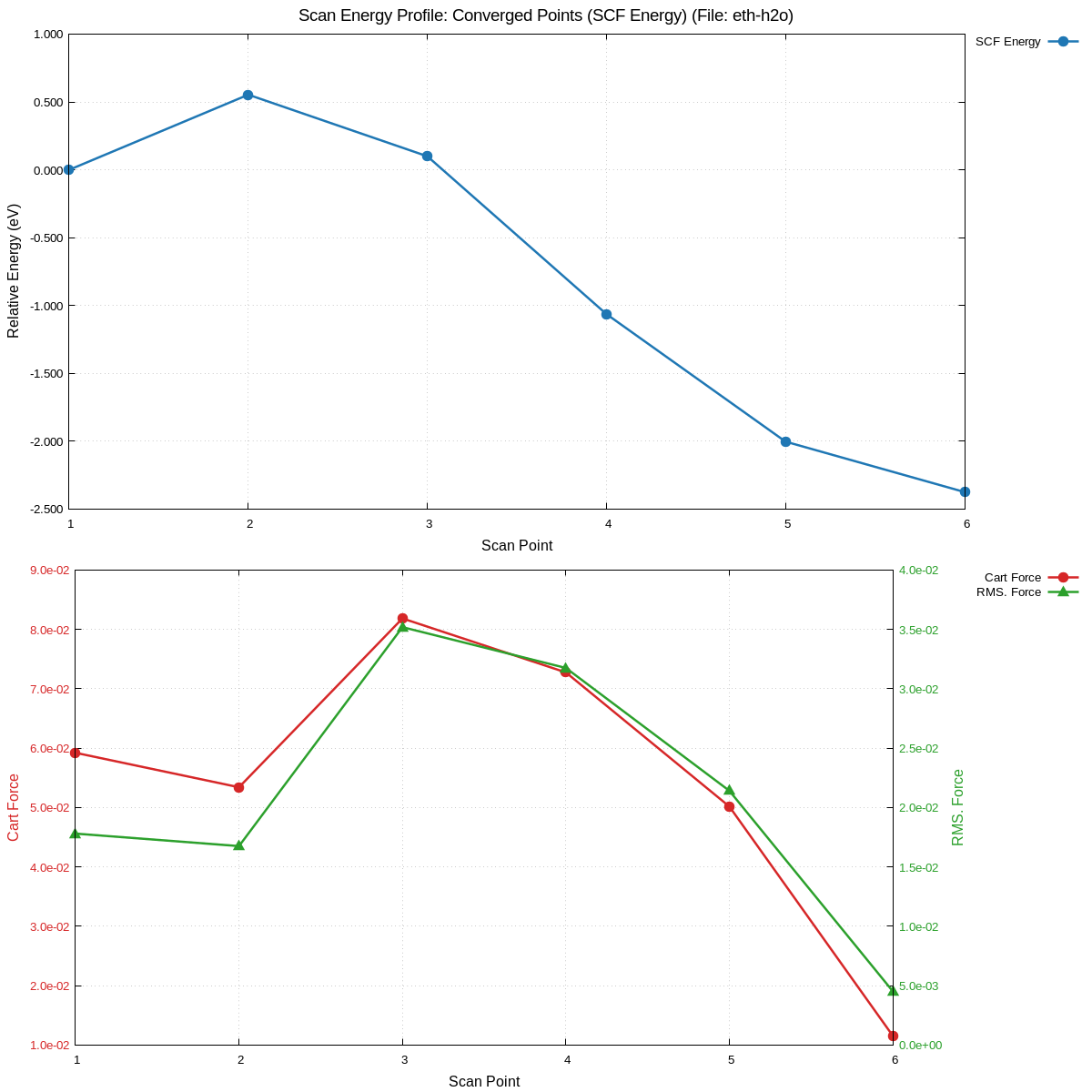 以该点为过渡态初猜进行计算,顺利收敛: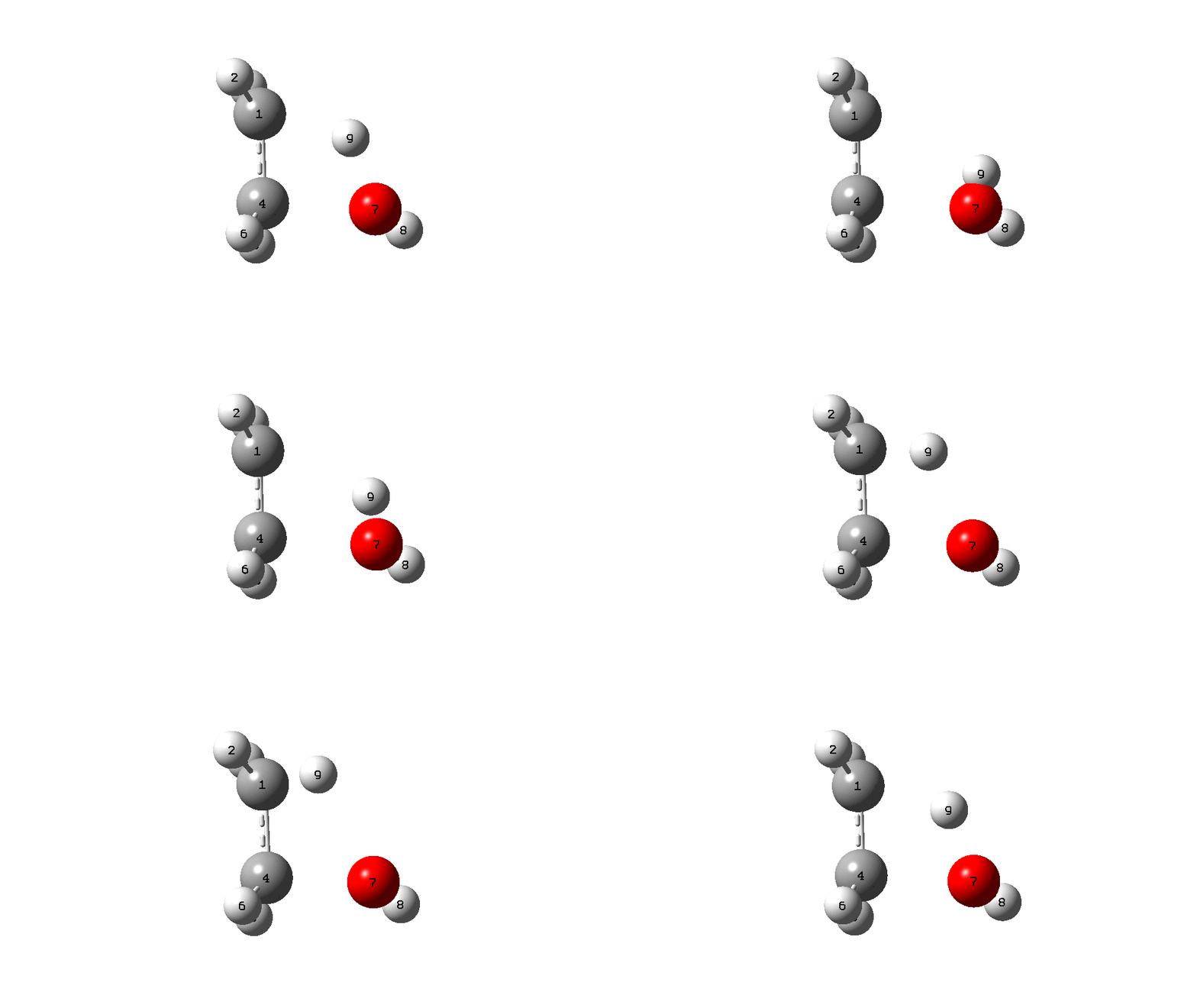
偷懒
上述原理听上去很简单,但是实际操作很麻烦,笔者是个懒狗,老老实实自己算显然是不可能的。于是捣鼓一番之后,做成了一个小工具autogic,自动完成上述操作。
1
2
3
4
5
6
7
8
9
10
11
12
13
14
15
16
17
18
19
20
21
22
23
24
25
26
27
28
autogic - auto-generate Gaussian GIC scan constraints

Usage:
  autogic <structure.{gjf,com,xyz}> <a-b[=target]> [c-d[=target] ...] [options]

Bond specification formats:
  4-58         Auto-calculate equilibrium bond length from vdW radii
  4-58=1.2     Set explicit target bond length to 1.2 Angstrom

Core options:
  --steps N             Number of scan steps (default: 10)
  --primary K           1-based index of primary scan bond (default: 1)
  --snippet-out FILE    Write GIC block to FILE
  --gjf-out FILE        For GJF input: append GIC and add opt(addgic)
  --debug-xyz FILE      Write debug trajectory XYZ
  --debug               Alias for --debug-xyz <input>.autogic.debug.xyz
  --show-table          Print bond table with current/equilibrium/target lengths
  -h, --help            Show this help

Examples:
  # Use explicit target length for bond 4-58
  autogic ts.gjf 4-58=1.2 59-20 --steps 19 --gjf-out ts_gic.gjf --debug

  # Mix explicit and auto-calculated targets
  autogic cluster.xyz 2-4=1.5 6-7 9-1=2.1 --steps 10 --debug-xyz path.xyz

  # Auto-calculate all targets from vdW radii
  autogic ts.gjf 4-58 59-20 --steps 10 --show-table
用法:以上一节体系为例,需要扫描C4-O7’与C1-H9’,则命令为:
1
autogic eth.xyz 4-7 1-9 --steps 5
自动生成了gic设置
1
2
3
RH9C1(NSteps=5,StepSize=-0.14109)=R(9,1)
RO7C4=R(7,4)
F1(Frozen)=(RH9C1-1.07)/0.705448-(RO7C4-1.42)/0.576
此处C-H和C-O是自动取的单键平衡键长,共价半径是Multiwfn取的那一套。如果需要指定平衡键长,可以这样:
1
autogic eth.xyz 4-7=1.43 1-9=1.07 --steps 5
输出为:
1
2
3
RC4O7(NSteps=5,StepSize=-0.1132)=R(4,7)
RC1H9=R(1,9)
F1(Frozen)=(RC4O7-1.43)/0.566-(RC1H9-1.07)/0.705448
整理一下就会发现该约束与先前手算的是等价的,只是写成了分数形式。